
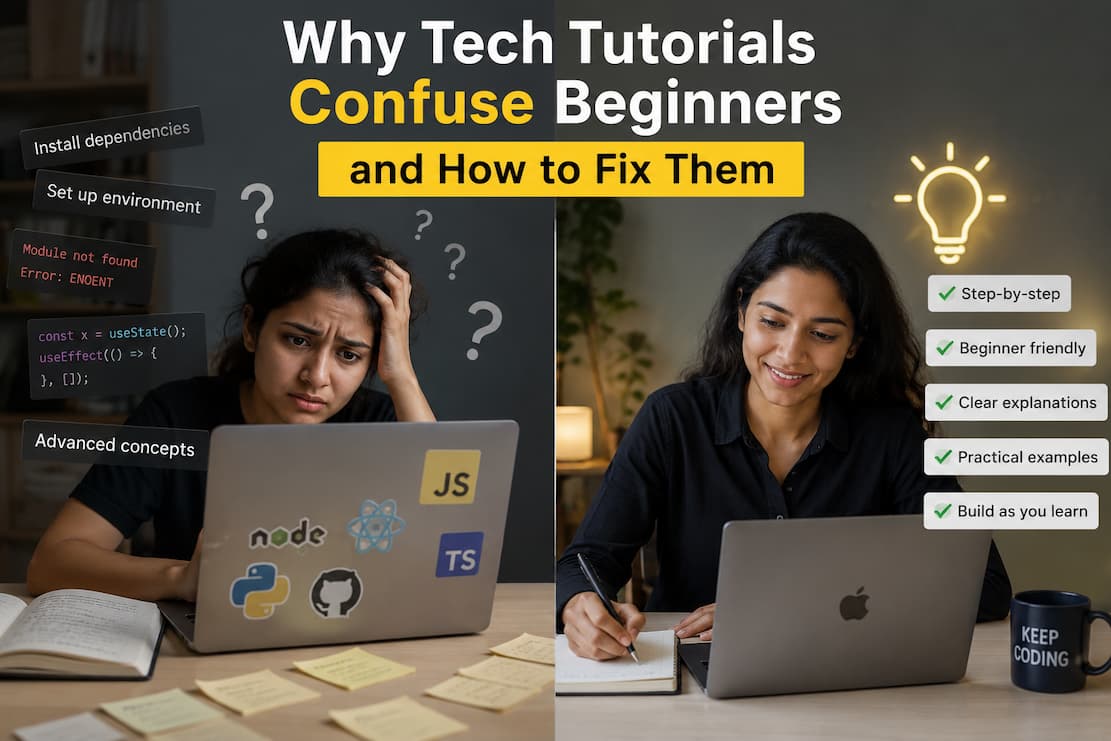
You sit down with coffee, open a tutorial promising to teach you Python in 30 minutes, and twenty minutes later, you’re staring at an error message that might as well be written in ancient Sumerian. The tutorial said, “Just run this command.” It didn’t mention that your operating system handles paths differently. You weren’t warned that the package version changed last month. It certainly didn’t explain why your terminal is throwing back a wall of red text.
This isn’t your problem. It’s a tutorial problem—and it’s far more common than most experienced developers realise.
The Gap Between “Simple” and Actually Simple
Most tech tutorials are written by people who already know the material cold. That creates an invisible blind spot. What feels obvious to someone with five years of experience is often completely opaque to someone on day one. The tutorial writer skips three “trivial” setup steps because their fingers type them automatically. They use jargon without defining it because it’s second nature now. They assume your development environment looks exactly like theirs.
The result? A tutorial that technically works, but only if you already share the same foundation as the author.
Here’s what typically goes wrong:
| What the Tutorial Says | What the Beginner Hears |
|---|---|
| “Just install the dependencies.” | “I don’t know what a dependency is, which tool to use, or why this is throwing permissions errors.” |
| “Run this in your terminal.” | “I found something called Command Prompt, but this command isn’t working, and I don’t know if I’m even in the right folder.” |
| “Clone the repository.” | “I installed Git, but nothing happened when I typed that, and now I have a zip file I don’t know what to do with.” |
| “It’s straightforward from here.” | “I am lost and starting to believe I’m not cut out for this task.” |
Why Tutorials Fail at the Starting Line
There are a few structural reasons why even well-intentioned tutorials leave beginners stranded. Understanding these helps you spot problematic guides before you waste an afternoon on them.
First, the environment assumption. A tutorial written on macOS often falls apart on Windows. Path structures differ. Package managers behave differently. Terminal commands that work smoothly in a Linux shell often fail to execute properly in Command Prompt. Good tutorials address this issue upfront. Mediocre ones pretend every computer works the same way.
Second, the version trap. Software moves fast. A tutorial from eight months ago might reference a package version that no longer exists, or a syntax that got deprecated. Beginners don’t have the experience to recognize version mismatch errors, so they assume they made a mistake rather than the tutorial being outdated.
Third, the missing context. Tutorials often show you how to do something without explaining why you’re doing it. Copying commands without understanding what they do doesn’t build knowledge — it builds dependency on step-by-step instructions. When something inevitably deviates from the script, you have no mental model to troubleshoot with.
Before You Start: The Reality Check
Here’s something tutorial authors rarely say out loud: not every tutorial is meant for you right now. And that’s completely fine.
Before diving into a tutorial, ask yourself a few honest questions. What prerequisites does it assume? Does it specify operating system requirements? When was it published or last updated? Does it explain what each step actually does or just throw commands at you?
If a tutorial jumps straight into code without explaining what problem that code solves, you’re looking at a reference document disguised as a learning guide. Reference documents are valuable, but they serve a different purpose. They assume you already understand the landscape and just need the specific path through it.
Learning guides, by contrast, should build your mental map of the territory. They should tell you why you’re turning left at the fork, not just bark “turn left” and keep walking.
How to Fix the Tutorial Experience
The good news: you don’t need to wait for the entire internet to rewrite its tutorials. You can change how you approach them and dramatically improve your success rate.
Start with the ecosystem, not the project. Before following a React tutorial, spend an hour understanding what Node.js actually is, what npm does, and how your computer’s file system is organized. This sounds like extra work, but it prevents the cascading confusion that kills most beginner momentum. That hour of foundation saves you five hours of banging your head against “simple” steps that assume knowledge you don’t have yet.
Verify your environment first. Open your terminal. Verify your Python version. Please confirm that your package manager is installed. Do this before starting the tutorial, not when you hit the first command. If the tutorial doesn’t tell you how to check these things, that’s a warning sign about its beginner-friendliness.
Read the entire tutorial before touching your keyboard. Skimming ahead lets you spot version warnings, prerequisite sections, and places where the author admits “this part is tricky.” It also reveals whether the tutorial actually finishes what it starts. Too many guides build a toy example, declare victory, and leave you wondering how to apply any of it to a real situation.
When you hit an error, pause before copying the error message into Google. Read the error carefully. Often it tells you exactly what’s wrong in plain English — a missing file, a permission issue, a typo. Beginners tend to treat error messages as cryptic noise because they look intimidating. But they’re usually more helpful than the tutorial itself at that moment.
Keep a running notes document. Every time you solve a weird environment issue or finally understand what a command does, write it down in your own words. You’re building a personal reference that speaks your language. Six months later, when you run into a similar problem, you’ll be glad you did.
What Good Tutorials Actually Look Like
After you’ve struggled through enough bad tutorials, you start to recognise the good ones immediately. They feel different. The author anticipates where you’ll get stuck. They explain the “why” behind the “what.” They acknowledge when something is confusing rather than pretending it’s obvious.
Good tutorials also tend to have comment sections or forums where people ask the exact questions you’re thinking. If you see twenty comments asking “what do I do if I get this error?” and the author hasn’t updated the guide, that’s useful information about how well-maintained the tutorial is.
Look for tutorials that teach you how to fish, not just hand you a fish wrapped in mysterious syntax. The best guides give you transferable understanding—concepts that apply beyond the specific example being built.
When to Walk Away
Sometimes the fix isn’t fixing the tutorial – it’s finding a better one. There’s no shame in abandoning a guide that isn’t meeting you where you are. The internet is vast. Someone else has explained this same concept in a way that makes sense to you.
If you’ve spent more than thirty minutes stuck on a “simple” step that the tutorial glosses over, that’s not a reflection of your intelligence. It’s a signal that the tutorial’s assumptions don’t match your current knowledge level. Find one that does.
Learning technology is already hard enough without fighting your learning materials. The goal isn’t to brute-force your way through confusing instructions. It’s to find explanations that make the complex feel manageable, one step at a time.
Related Articles
- How to Fix Common Errors When Following Tech Guides
- Common Reasons Self-Taught Tech Learners Get Stuck
- Simple Guide to Reading Technical Documentation Clearly
- Easy Ways to Practice Coding Without Feeling Lost
- Why Tech Learning Feels Isolated and How to Fix It
- Common Reasons Beginners Struggle With AI Coding
- Why AI Tools Confuse Beginners and How to Fix That
- How to Fix Setup Problems in Development Environments
Sources and References
Cognitive Load in Technical Instruction
Research from the Journal of Educational Psychology indicates that tutorials assuming prerequisite knowledge significantly increase cognitive load for novice learners, reducing retention by up to 40%.
Documentation Usability Studies
Studies by the Nielsen Norman Group show that technical documentation following progressive disclosure principles — revealing information as needed — improves task completion rates by 35% compared to exhaustive upfront explanations.
Self-Directed Learning in Programming
ACM Computing Surveys published findings that self-taught programmers who actively verify their environment before starting tutorials report 50% fewer setup-related blockers and maintain motivation longer than those who dive in immediately.
Error Message Comprehension
Research from the University of Washington’s Computer Science Education group found that beginners who spend time reading error messages before searching for solutions develop stronger debugging skills and independent problem-solving abilities over time.

Cathy started out teaching herself to code through documentation and broken tutorials, which taught her more about learning than any classroom did. Now she focuses on helping others navigate the same path — figuring out why things break, how to fix them, and what trends actually matter versus what’s just noise. She has a background in cognitive science and contributes to open-source education projects.